How to import Shipment?
You can import your shipments in two ways.
- Using excel sheet (bulk upload)
- Using Add Waybill interface.
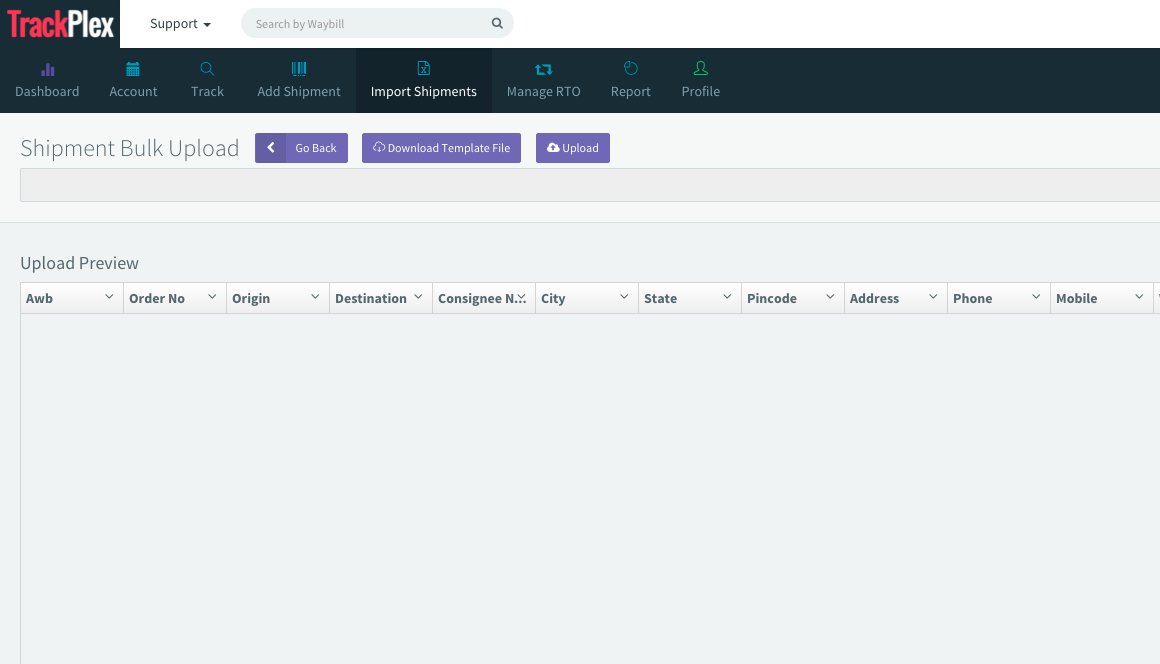
To upload shipment using excel sheet, click on "Import Shipments".

- Click on "Download Template file" and open the excel sheet.
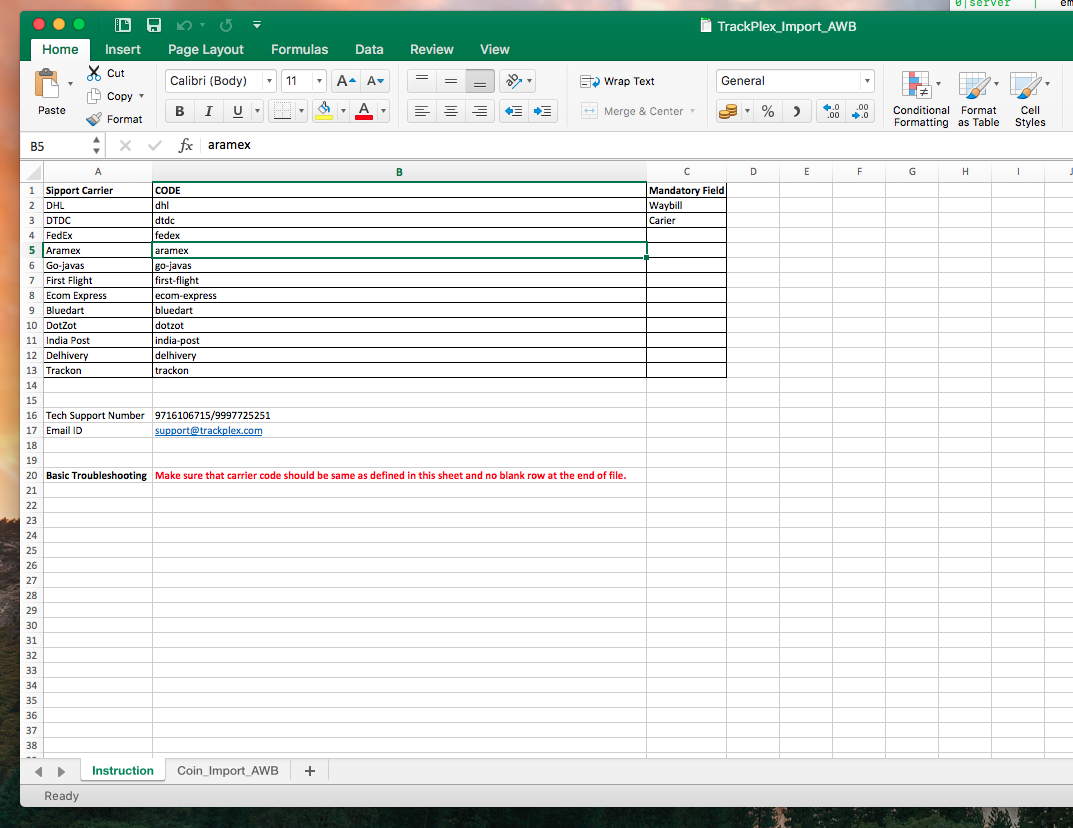
- Open the excel sheet, you will find Instruction sheet and Coin_Import_AWB sheet.
- Fill the shipments details in the respective column and save as in CSV format.
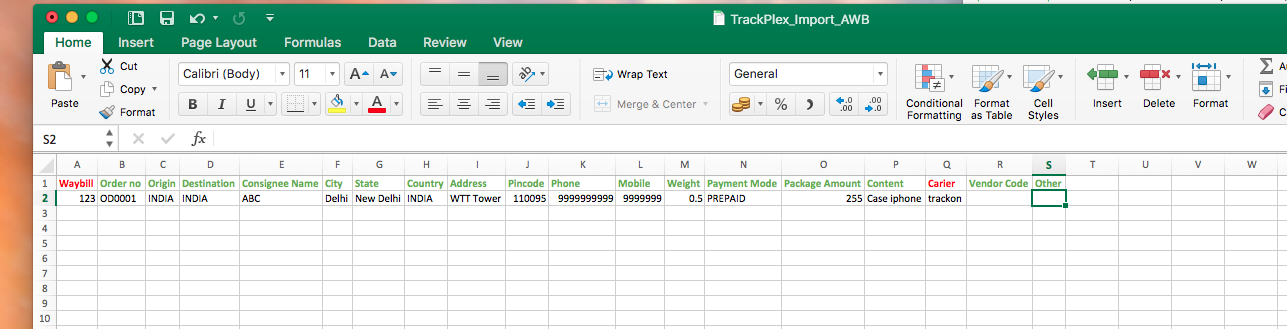
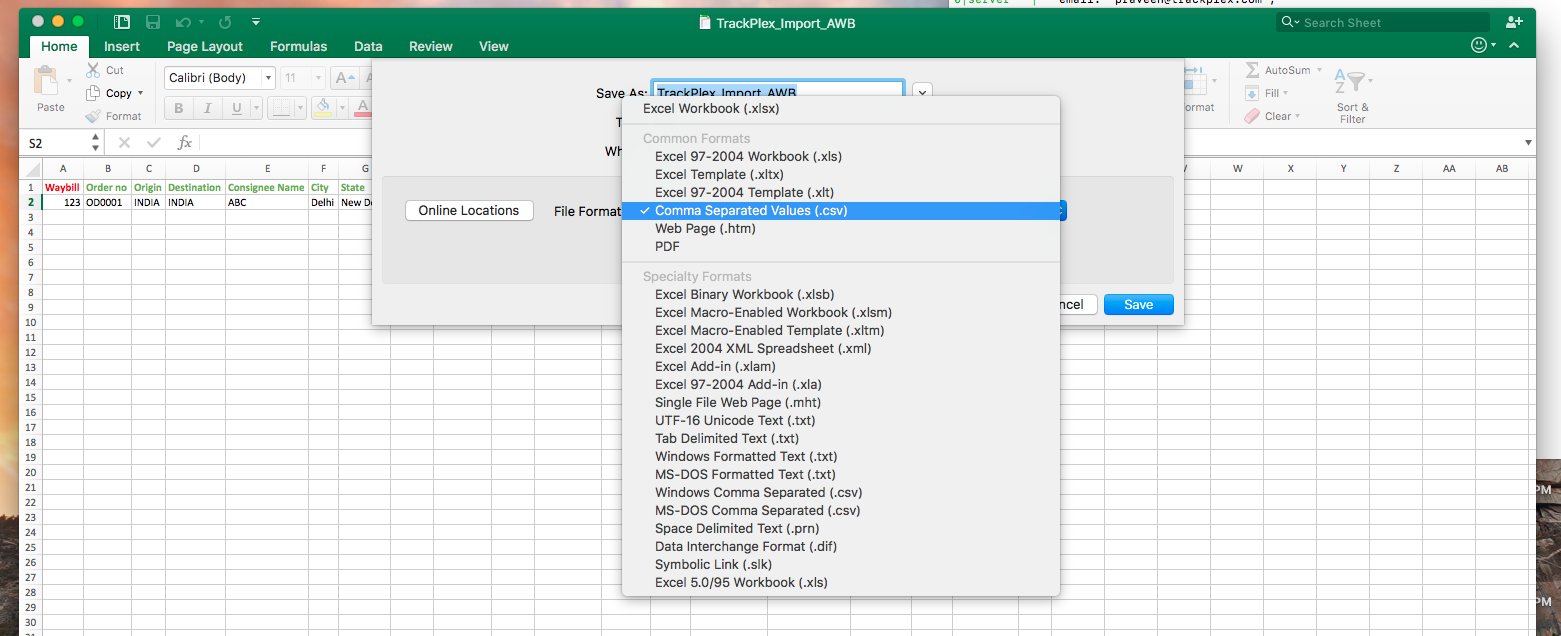
- When you save the file as CSV, you are ready to upload the file, also make sure that there is no black row in that csv file and carrier name are same as mentioned in instruction sheet. "Do not change the wrong spelling of carrier".
- Click on choose file and select the previously saved csv file, once you select it will show the preview of data, you can cross verify and click on Upload button to start uploading the data.

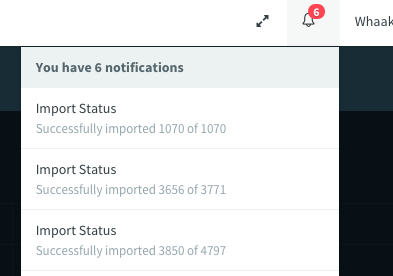
- When you click on Upload button it will open a new dashboard, and do not interrupt or refresh the browser while uploading the file. Once the file uploaded, you can check the status of your upload in notification tab or in profile transaction tab.