How to track and filter? The powerful feature of TrackPlex.
All shipments in one place, and smart filters to help.
We are proud of our user interface. We allow you to track all your shipments in one place. We make sure that you can easily find the information that you are looking for and so we built the smart filters.
Smart filters allow you to search for anything, whether it is a waybill that you are looking for or you want to list all the shipments that have got delivered, and it is so easy. Looking for the shipments with high aging, or looking for shipments that have been in transit for too long, TrackPlex to the rescue.
Interface:
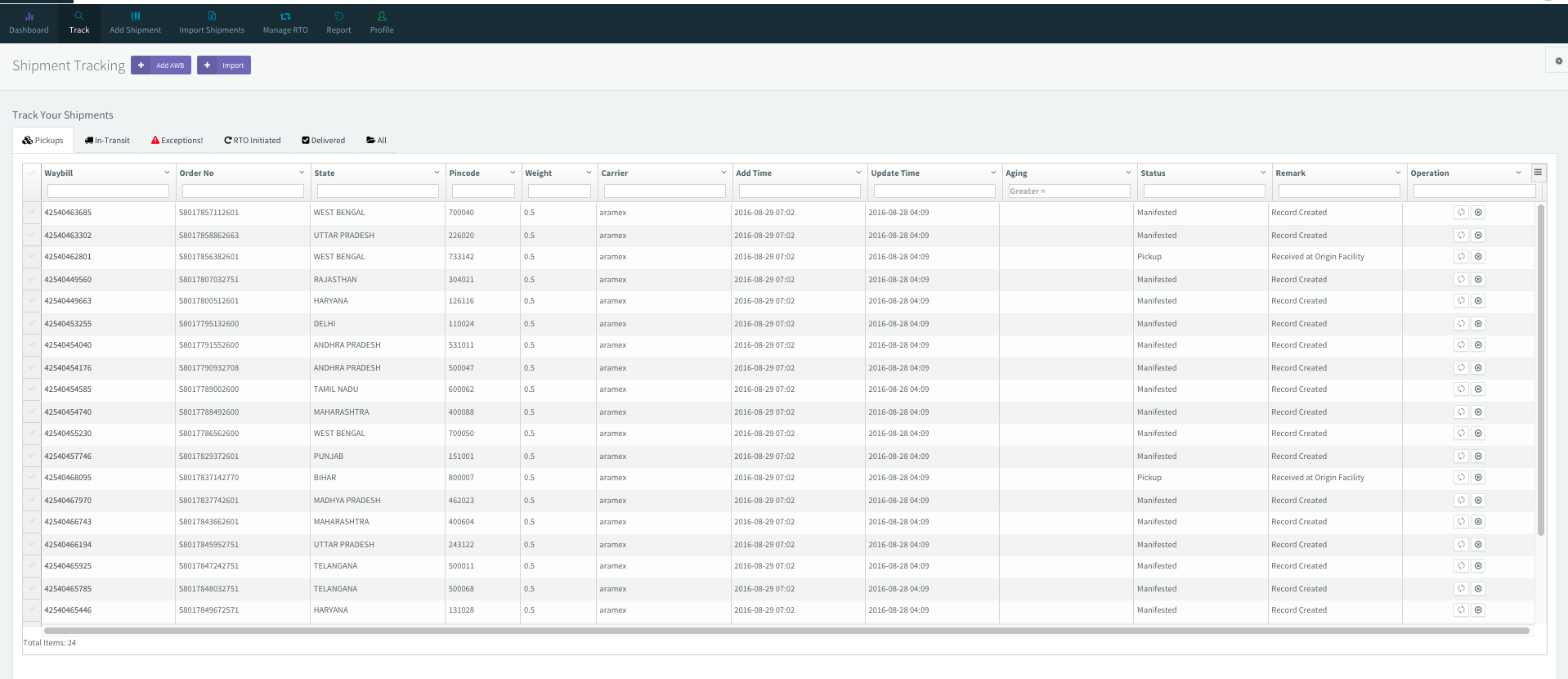
We track shipments and put it in the respective tab based on the status.

We have combined multiple courier status and created a uniform status. You can request for the latest status mapping data from our support team by email.

Apply filter on data
You can apply filter on each column and export the data in one click, no need to generate report or filter data using excel.
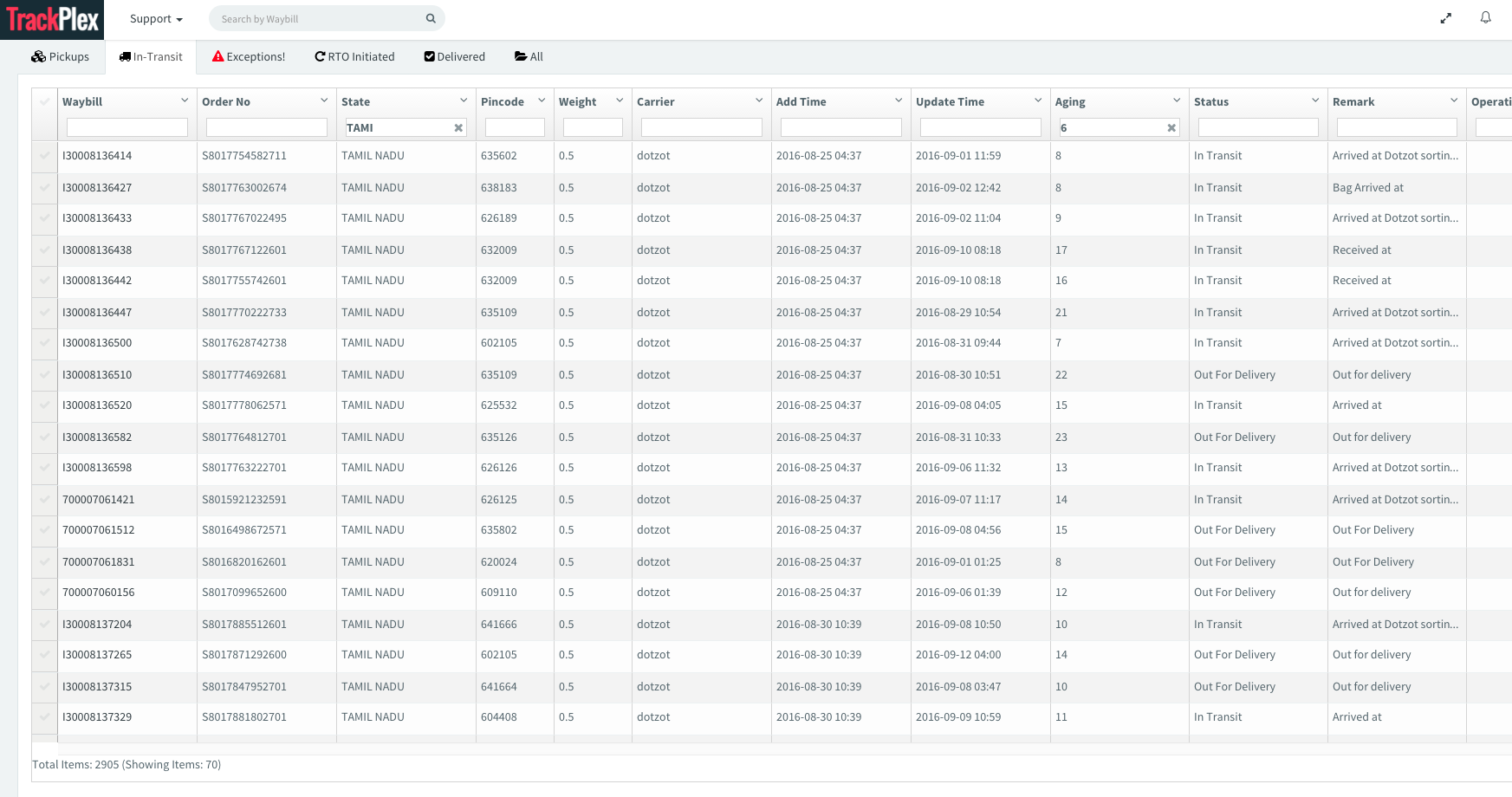
In the above screen shot, we are trying to get those shipments, whose aging is greater than 6 and destination state is Tamil Nadu.
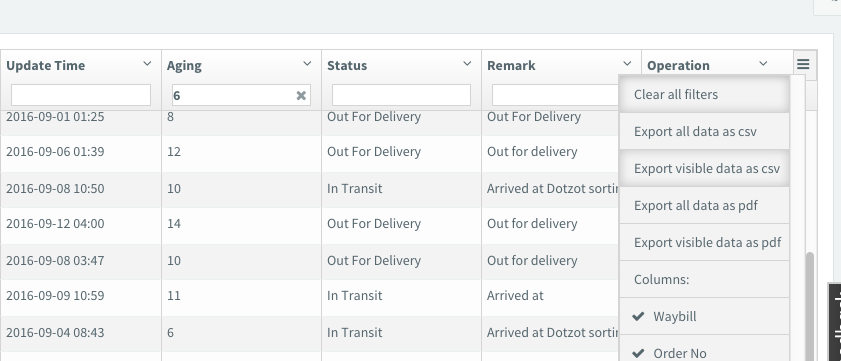
You can export the above data by clicking on the menu which is available on the right side of the table, the table currently support the following operations.
- Export all data as CSV
- Export Visible data as CSV
- Export all data as pdf
- Export visible data as pdf
- Hide and show the columns